
The review
BenQ HT2060 review: still a smart buy for 3D?
TLDR
The BenQ HT2060 makes sense for 3D films in a dark room. Its LED light source saves lamp changes, but its modest lens shift and 1080p resolution set clear limits.
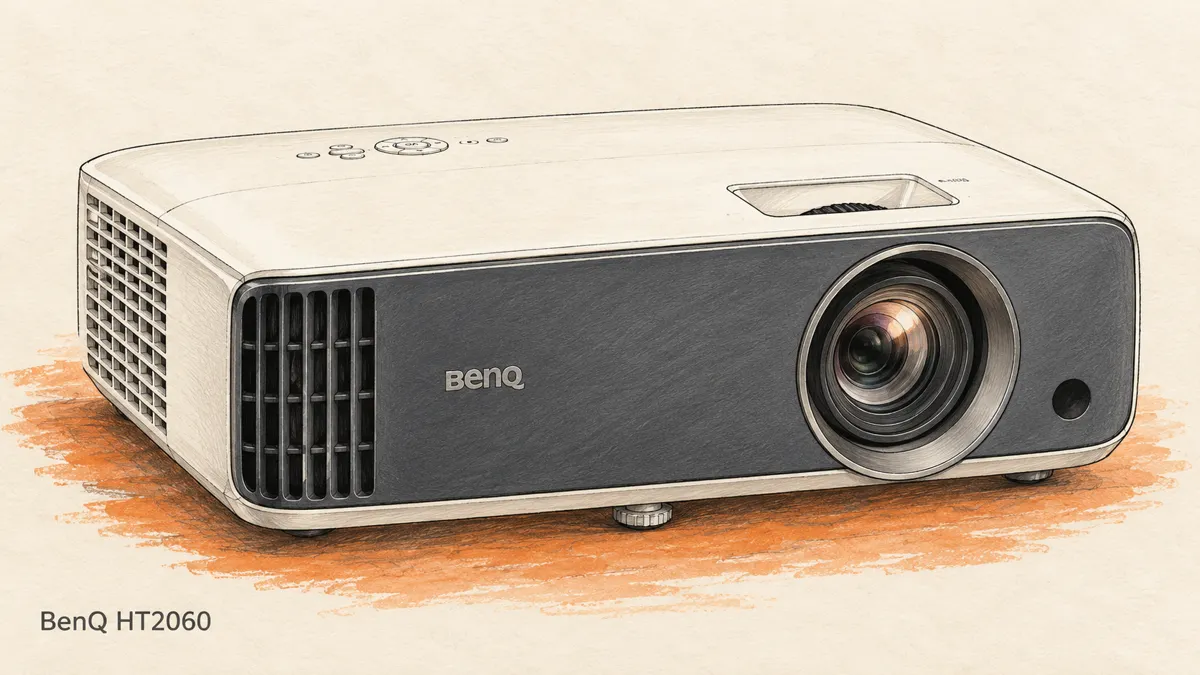
The BenQ HT2060 makes a fairly clear offer: a large 1080p picture, an LED light source and proper 3D support. It leaves out some features buyers now expect, including native 4K and built-in streaming apps. Whether that is a problem depends on what you watch.
For 3D Blu-ray films in a room you can darken, its choices make sense. For a bright room used all day, or a mount far from the center of the screen, I would be more cautious.
What the BenQ HT2060 does well
The LED light source is its main draw. There is no routine lamp swap to plan for. BenQ rates the light source for 20,000 hours in normal use and up to 30,000 hours in Eco mode. Those are light-source ratings, not a promise about the life of the whole projector.
The BenQ HT2060 also gives you a useful set of picture modes. Filmmaker Mode is a sensible place to start for films. It cuts back image enhancement so you are less likely to mistake extra edge sharpening for real detail.
Its native resolution is 1920 by 1080. It can accept a 4K signal, but it scales that signal down. You do not get a native 4K image just because a player or console sends one.
That limit is easy to understand in a home theater built around 3D discs. The priority is reliable 3D playback and a picture that suits the screen. A higher-resolution 2D feature is less useful if it costs more and does not improve your main use.
The specifications that affect your room
| Feature | What it means for you |
|---|---|
| Native 1080p resolution | Full HD output, including when the input is 4K. |
| 4LED light source | No routine replacement lamp. |
| Rated 2,300 ANSI lumens | A maker's brightness figure, not a through-glasses measurement. |
| 1.15 to 1.5 throw ratio | About 8.4 to 10.9 feet from lens to a 100-inch screen. |
| 1.3x optical zoom | Some freedom to move the projector without moving the screen. |
| +10% vertical lens shift | A small height adjustment, not wide placement freedom. |
| Two HDMI inputs | Room for a player and another source. |
These figures come from BenQ's HT2060 specification sheet. The distance estimate uses a 100-inch, 16:9 image about 87 inches wide. Measure the lens position and check the manual before drilling a mount.
Vertical lens shift helps, within limits
Vertical lens shift moves the image up or down with the lens. It is better to use that small adjustment than to tilt the projector and ask digital correction to fix the shape.
The BenQ HT2060 has only a modest amount of lens shift. It does not offer horizontal lens shift. If a shelf sits well to one side, you cannot simply move the image back to the center with a lens control.
Set the case level and face it squarely toward the screen. Use the optical zoom to fit the width. Then use vertical lens shift for the final height adjustment. Keep cables clear of vents and leave enough space to reach the controls.
Keystone correction can straighten a trapezoid, but it changes the image digitally. It can also add delay. It is useful as a last small adjustment, not a cure for a poor home theater layout.
If your room will not fit those limits, our 3D projector buying guide includes a model with more lens adjustment. Buying the right fit is easier than making the wrong fit work.
Picture quality starts with light control
The BenQ HT2060 belongs in a light-controlled space. That need not mean a purpose-built cinema. Curtains, lamps placed away from the screen and evening use can do a great deal.
Dark scenes suffer when room light falls on the screen. No picture setting can turn reflected room light into deep black. Before chasing better contrast through the menus, turn off the lamp nearest the screen and see what changes.
BenQ lists 98% coverage of the Rec.709 color range. That is a useful specification for standard HD film content. It does not mean every picture mode will give accurate colors in every room, or that calibration is never useful.
Start with a film mode, then make small adjustments. Check faces, dark coats and bright clouds. If detail vanishes in shadows, do not assume the answer is to raise every brightness control. Confirm the source and projector use matching video levels first.
The aim is a sharp image that looks natural. Extra sharpening can draw bright outlines around objects. More vivid color can look striking for a minute and wrong for a whole movie.
Filmmaker Mode and HDR support
Filmmaker Mode reduces some post-processing and is intended to preserve the source presentation. It is a useful starting point for watching movies, not a substitute for good placement or light control.
The BenQ HT2060 accepts HDR10 and HLG. HDR support does not give it the brightness of a high-output television. A projector spreads light across a much larger screen, so HDR content still has to fit the light it can produce.
Try the HDR picture controls with a familiar scene. Look for detail in bright windows and dark rooms. Avoid a setting that makes one scene punchier but loses detail across the rest of the film.
Do not confuse HDR with 3D. They are separate parts of the signal. A 3D Blu-ray does not gain Dolby Vision or HDR merely because the projector accepts HDR from a different source.
3D needs the right glasses and signal
The BenQ HT2060 supports 3D modes, including the frame-packed signal used by 3D Blu-ray. You need compatible active DLP-Link glasses. Passive cinema glasses and RF glasses for another projector system will not work in their place.
Check the supported timing table in the official HT2060 manual if your source is a computer. Resolution, refresh rate and 3D format must all match. A side-by-side video file is not the same signal as a frame-packed disc.
For a straightforward disc setup, connect a 3D-capable player to the projector by HDMI. Test that link before adding a receiver. If 3D works directly but stops through the receiver, check that receiver's pass-through support and settings.
The Panasonic UB820 and UB420 guide explains why paying more for a player may bring no benefit to a 3D-only setup. Put some of that budget toward comfortable glasses instead.
One HT2060 owner thread discusses both contrast concerns and enjoyment of 3D. These are personal accounts, not measured results. They reinforce the value of trying your own films during the return window.
Low input lag, with the right settings
The BenQ HT2060 can also serve as a games screen. BenQ lists input lag as low as 16.7 milliseconds at 1080p 60Hz and 8.3 milliseconds at 1080p 120Hz under the right conditions.
Input lag is the time between a source sending a frame and the image appearing. It matters more in fast games than in films. Fast Mode and a suitable input can reduce that delay; extra image processing may change it.
Set a console or PC to a supported mode before judging response. Do not assume the same low input lag applies to a 4K input, digital keystone or every picture mode. For movie viewing, focus on image quality and smooth playback rather than the smallest lag number.
Connections, streaming and sound
Two HDMI inputs make a simple setup easy: one for a disc player and one for a streaming device. The projector has no built-in streaming platform. An external source supplies the apps.
That can be a benefit over time. You can replace a small streaming device without replacing the projector. Check its power needs rather than assuming the projector's USB port is the best power supply.
The built-in speakers are rated at 5 watts each. They can get you started, but a separate sound system is a better fit for a large movie image. Plan the audio route from the source, especially if you want surround sound.
Fan noise also deserves a place in the room plan. Do not put the projector right beside your head if you can avoid it. Eco mode may help, but lowering light output also affects the picture, especially through 3D glasses.
What to check before buying
The BenQ HT2060 is an established model. Compare new and refurbished offers carefully. Check the exact warranty, returns and seller, not just the headline price. A current price is best confirmed on the product listing because stock and offers change.
Its LED light source reduces one ongoing cost, but it is not a user-changeable lamp. Keep the vents clear and follow the manual's care advice. A long light-source rating should not be read as a free repair promise.
Some viewers see brief rainbow-like color flashes from single-chip DLP projectors. Not everyone notices them. If you are unsure, use a seller with a workable return period and try high-contrast scenes you know well.
I would shortlist the BenQ HT2060 for evening films, 3D discs and a room within its throw range. I would pass if native 4K, daylight viewing or wide lens shift is essential. Those are clear limits, not small faults you should expect a menu setting to fix.
Quick answers
Is the BenQ HT2060 a short-throw projector?
It is not an ultra-short-throw model that sits next to the wall. Use the 1.15 to 1.5 throw ratio to check the distance for your screen.
Does it need a replacement lamp?
There is no routine lamp replacement. The LED light source is not a normal user-serviceable lamp, so a failure still needs proper service.
Is the 4K input worth using?
It may be convenient for a source shared with other screens. The BenQ HT2060 still shows 1080p. Choose the output and picture mode that suit the content instead of expecting extra native pixels.