
The comparison
Panasonic UB820 vs UB420: which one fits your setup?
TLDR
Choose the Panasonic UB420 for 3D Blu-ray on a projector. The UB820 earns its extra cost if you also need Dolby Vision or its analog audio outputs.
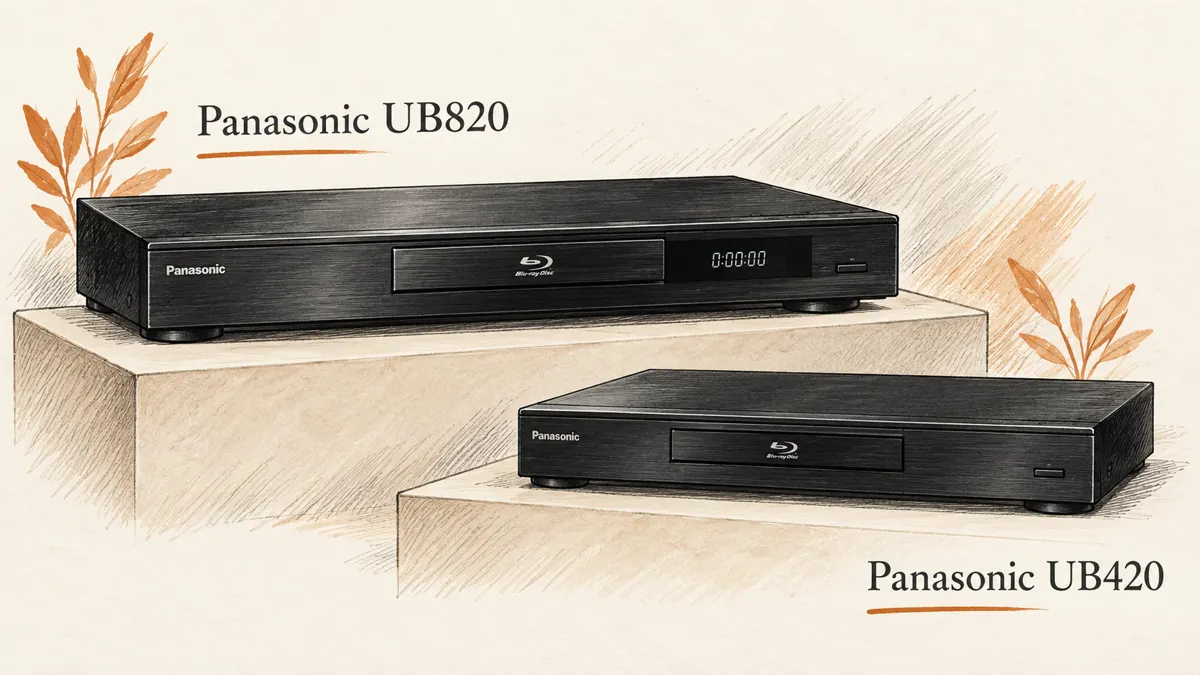
The costly player is not always the better fit. The Panasonic UB820 and UB420 share much of what matters for a 3D disc collection. The extra money mainly buys features outside that job.
Start with your screen. If it cannot use Dolby Vision, that feature has no value today. If you also watch 4K films on a Dolby Vision TV, the choice gets more interesting.
Panasonic UB820 vs UB420 at a glance
| Feature | The difference |
|---|---|
| 3D Blu-ray | Both support it with a compatible display and glasses. |
| Dolby Vision | UB820 supports it; UB420 does not. |
| HDR10, HDR10+ and HLG | Both support these formats. |
| HDR Optimizer | Available on both for suitable HDR content. |
| HDMI outputs | Both have a main output and a separate audio output. |
| Analog audio | UB820 adds multichannel analog outputs. |
| Posted US price | UB820: $649.99. UB420: $369.99. |
Panasonic's US store listed those prices on October 16, 2026. The gap was $280 before tax. Check the current offers because retailer prices and stock can change.
Dolby Vision is the main reason to spend more
Dolby Vision adds data that helps a TV set the light and color in a scene. The TV must support it. Your disc, player and screen must all work with that format. A receiver in the video path must pass it too.
The Panasonic DP-UB820 supports Dolby Vision. The UB420 does not. If your TV and favorite 4K discs use Dolby Vision, this is a real difference.
It is not a reason to replace a working UB420 without thinking. Dolby Vision support does not improve every disc. Standard Blu-ray, DVDs and 3D Blu-ray do not gain that format when you put them in a more costly player.
If your screen only accepts HDR10, the UB820's Dolby Vision feature stays unused. For that setup, the UB420 can be the better buy. You can spend the difference on films, sound or better control of room light.
Both have useful HDR processing
Panasonic gives both Blu-ray players its HCX processing and HDR Optimizer. That matters if your 4K collection includes HDR10 films.
An HDR film may have bright spots that your screen cannot show. Tone mapping fits that range to the display. Done well, it keeps detail in bright clouds and lights. The rest of the image should not look too dim.
The HDR Optimizer is not a magic switch for all formats. Its role depends on the signal and settings. It is separate from Dolby Vision processing, and it does not turn a standard Blu-ray into a disc mastered in HDR.
Choose a display type that matches your setup. Compare a few scenes before changing more picture settings. Pushing both the player and TV settings too far can make the film look less natural.
This shared processing is why I would not buy the Panasonic DP-UB820 just to get an HDR Optimizer. The UB420's product page lists its HDR processing too. The higher price needs a reason beyond a feature both have.
For 3D Blu-ray, start with the UB420
Both players can send 3D Blu-ray to a TV or projector that supports it. You still need a 3D disc, suitable HDMI path and glasses that match the display.
For a projector used mainly for 3D, the UB420 is my default choice between these two. The money saved does not remove 3D support. Nor does the UB820 add more depth simply because it costs more.
If you are putting the whole system together, read our 3D projector guide. The glasses must match the projector. The wrong pair can stop 3D from working, even with the right player.
The BenQ HT2060 review is useful for a simpler Full HD setup. A 4K-capable player can still serve that projector, but the screen does not become native 4K.
Audio quality: pay for connections you will use
Both Blu-ray players can send digital movie audio by HDMI. That includes the bitstream for Dolby Atmos. Your disc and receiver must support it, and you need the right settings. The player does not create Atmos from a soundtrack that lacks it.
The UB820 adds analog audio outputs, including multichannel connections. These can help if your sound system has the right inputs. They add little if every source in your room goes to a modern receiver by HDMI.
Do not assume that paying more makes the same HDMI soundtrack sound better. Your receiver, speakers, room and volume matching have a large role in sound quality. A different output type is a clear feature; a vague promise of richer sound is not.
For Dolby Atmos, check the audio output settings and turn secondary-audio mixing off where the manual requires it. That lets the receiver get the right bitstream. The UB420 manual explains its digital audio controls.
Two HDMI outputs can save an older receiver
A receiver may handle the sound you want but fail to pass a newer video format. Both players give you a way around that problem: send video straight to the display and audio through the second HDMI output.
Check which socket is the main output and which is audio-only. Match the player's HDMI settings to the wiring. An audio-only output cannot replace the main video connection.
This can be useful for 3D too. If the receiver interrupts the 3D signal, a direct video path removes that link from the chain. It does not fix a projector that lacks 3D support, but it makes a fault easier to trace.
Before buying a new receiver, check the one you own. Two HDMI cables in the right ports may be all you need.
Physical media: more than 4K discs
Both players cover the usual film collection: Ultra HD Blu-ray, standard Blu-ray and DVDs. CD playback is useful if you want one box for everyday films and music.
Upscaling makes video fit a 4K screen, even when the source has fewer pixels. It does not recover detail that was never on the disc. Older movies can look excellent on Blu-ray, but the source transfer often matters more than a small change in player settings.
Do not buy the Panasonic DP-UB820 expecting every DVD to look like a new 4K release. The UB420 also handles upscaling. For these two players, Dolby Vision and the output connections are clearer reasons to choose than broad claims about sharper pictures.
If your shelves include SACD or DVD-Audio discs, check that need separately. Our Sony X800M2 vs Panasonic UB820 comparison covers those formats. File playback and disc playback are not always the same feature.
Daily use, apps and build quality
The UB820 is the larger unit and has a front display. The UB420 is more compact. Measure your shelf. Leave space behind it for cables and air flow. Do not put either player in a sealed space.
Build quality matters, but a heavier case does not prove a longer life. A solid case cannot tell you how often a drive will fail. A clear return policy is more useful than a claim that either one never freezes.
Wi-Fi and network links make it easy to get updates. They also bring terms and services that can change. Choose these players for your discs. Do not count on a streaming app to stay on them for years.
Keep a separate streaming device if that gives you the apps you prefer. There is no need to pay for the Panasonic DP-UB820 just to avoid switching inputs on the TV.
What owners are weighing up
In a recent owner discussion, the question was whether Dolby Vision justified moving from the UB420 to the UB820. That is the right question, though no single owner's answer can settle it for every screen.
A viewer with an HDR10 projector has different needs from someone with a Dolby Vision TV and many matching discs. Both can make a sound choice without buying the same player.
Do not buy just from fear of missing a feature. Count the discs and screens that would use it. Then compare that benefit with the actual price gap.
Which one should you buy?
Buy the UB420 if you want 3D Blu-ray, HDR10 playback and useful HDR processing at the lower price. It also makes more sense if your screen cannot use Dolby Vision and your sound goes by HDMI.
Buy the Panasonic DP-UB820 if Dolby Vision is part of your current setup, or if its analog outputs solve a real connection problem. At the checked prices, those benefits need to be worth $280 to you.
Keep the player you have if it already plays your discs well and the extra features would sit unused. A better film collection may bring more pleasure than replacing a working box.
Quick answers
Does the UB420 support Dolby Vision?
No. It supports HDR10, HDR10+ and HLG. Dolby Vision is a reason to consider the UB820 if the rest of your setup supports it.
Can both players handle Dolby Atmos?
They can send the audio bitstream by HDMI. The receiver must support it. The disc, settings and audio system all matter.
Will the UB820 improve 3D picture quality?
Do not expect a general 3D upgrade just from changing players. Both support the format. Screen setup, glasses and room light are more useful things to check first.
Is the UB820 the better value for everyone?
No. Its extra features have value only when you use them. For a 3D projector and HDMI sound, the UB420 is the stronger starting point.