
The comparison
Sony UBP-X800M2 vs Panasonic DP-UB820: films or music first?
TLDR
The Panasonic UB820 is the easier film-first choice. Choose the Sony X800M2 for SACD and DVD-Audio, and remember to turn Dolby Vision off for 3D films.
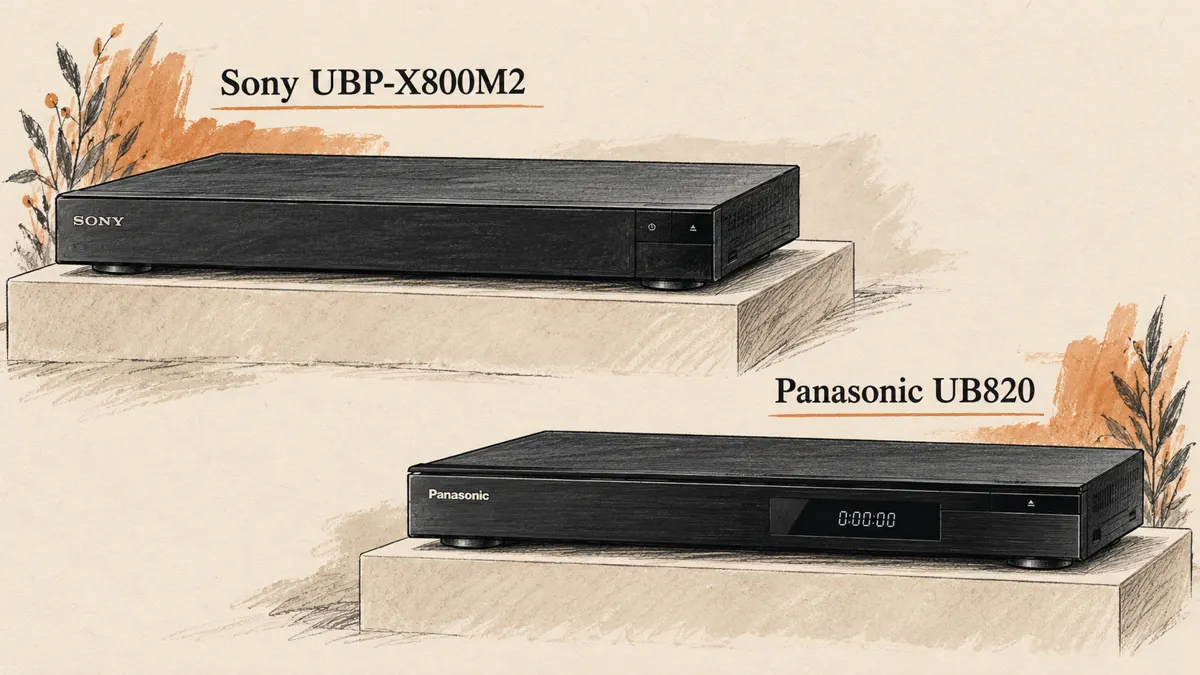
The Sony UBP-X800M2 and Panasonic DP-UB820 play many of the same films. Yet they suit different shelves. The Panasonic gives you more ways to tune the picture. The Sony plays music discs that the Panasonic cannot read.
For 3D fans, one small Sony menu setting matters a lot. Leave Dolby Vision on and 3D will not play. That is easy to miss in a list of supported formats.
The two players at a glance
| Your priority | Better fit |
|---|---|
| Films and easy Dolby Vision use | Panasonic DP-UB820. |
| SACD and DVD-Audio discs | Sony UBP-X800M2. |
| HDR10 tone mapping controls | Panasonic DP-UB820 and its HDR Optimizer. |
| 3D Blu-ray | Both, with Dolby Vision switched off on the Sony. |
| Multichannel analog audio outputs | Panasonic DP-UB820. |
| Lower reference price | Sony: $329.99 listed MSRP, versus Panasonic's $649.99 posted store price. |
Prices were checked on October 16, 2026. Sony's figure is a listed MSRP, not a verified checkout offer. The Panasonic figure is its posted US store price. Check the live price and stock before you buy.
Video quality: where the Panasonic earns its place
The Panasonic DP-UB820 supports Dolby Vision, HDR10+, HDR10 and HLG. Its HDR Optimizer gives you useful control over suitable HDR10 content.
Tone mapping takes the bright and dark range in a film and fits it to the screen. A projector has less light to work with than many TVs. Good tone mapping can help keep detail visible without making the whole picture look flat.
This is a good reason to favor the Panasonic player for films. It is not a claim that every frame from it must look better. The disc, display settings and room all affect picture quality.
The Sony UBP-X800M2 supports HDR10 and Dolby Vision. It does not offer Panasonic's HDR Optimizer. That may be fine when your TV already handles HDR well and you do not want another set of picture controls.
Both players send a clear HD image from standard Blu-ray. They can also scale it to fit a 4K screen. Do not assume the more costly player adds detail that is not on the disc. The way a film was put on disc can matter more than which player reads it.
Dolby Vision needs a manual choice on the Sony
Sony's Dolby Vision setup instructions say there is no Auto setting. You choose whether Dolby Vision output is on or off.
That creates an extra step when you move between different discs. Sony also states that 3D will not play while Dolby Vision output is on.
If a 3D disc will not play as expected, check that setting before blaming the disc or glasses. Turn Dolby Vision off for 3D. Then confirm that the player, HDMI path and projector support the signal.
The Panasonic DP-UB820 is the easier film-first choice if you move often between a Dolby Vision TV and a 3D setup. You still need the right gear and settings. The Sony's switch is one more thing to remember.
That small step can be a pain if a few people share the player. If you know the menus well, it may be a fair trade for the Sony's other features.
Sound quality: formats matter more than slogans
Both players can send movie audio through HDMI. That includes Dolby Atmos when the disc and receiver support it. You must use the right settings, too.
If both send the same soundtrack as a bitstream to the same receiver, do not assume the price difference buys better sound quality. The receiver decodes it, and your speakers and room have a large effect on what you hear.
The Sony UBP-X800M2 stands out if you own SACD or DVD-Audio discs. It can play both. Those are not ordinary CDs. If you own those formats and want one machine for films and music, the Sony deserves serious thought.
Sony's official format specifications list SACD, DVD-Audio and stereoscopic 3D. Check the exact model. Similar-looking players do not always share the same disc support.
The Panasonic DP-UB820 adds multichannel analog outputs. Those are useful for compatible audio equipment, but they do not make it an SACD disc player. Being able to play certain music files is a different feature from reading an SACD.
Physical media: choose for the discs on your shelf
Either player can handle a shelf of 4K Blu-ray, standard Blu-ray, DVDs and CDs. The choice gets clearer when you look beyond those discs.
A film-first collection with plenty of Dolby Vision discs favors the Panasonic DP-UB820. A mixed collection with SACD and DVD-Audio discs favors the Sony UBP-X800M2. If neither special case applies, price and daily use may settle it.
Do not pay for a format you might never use. Count the discs you own or plan to buy soon. That tells you more than a long list of formats.
If you only need a player for a 3D projector, our Panasonic UB820 vs UB420 guide offers another useful comparison. The lower-cost Panasonic may do the job without either the Sony's music-disc extras or the UB820's Dolby Vision.
Build quality is not the same as reliability
The Sony UBP-X800M2 has a solid, heavy case. Sony lists its weight at about 3.8 kilograms, or 8.4 pounds. That may appeal if you dislike light equipment moving when you press a button.
Weight does not prove that a disc drive will never fail. Nor does a premium price. A well-built case is nice to have. It does not prove that a drive will read each disc without a fault.
An owner thread includes reports of Sony freezes and reports of trouble with Panasonic units instead. The accounts conflict. They do not tell us how often either model fails.
I would not promise that switching brands will cure every freeze. A damaged disc, dirty surface, faulty unit or software issue can each cause trouble. Use the latest firmware for your exact model and region. Then follow the maker's steps to find the fault.
Buy from a seller with a clear return window. While returns are open, play a few of your own discs all the way through. A quick look at the opening scene is not enough to test a used or new player.
Connections for a home theater
Both Blu-ray players offer a separate HDMI audio route. This can help when a receiver handles the sound you want but cannot pass the video format.
Send the main HDMI output to the TV or projector. Send the audio output to the receiver, then select the right output mode in the player. Label the cables if the sockets are hard to reach.
For 3D, first try a direct video connection. Once that works, add the rest of the system. It is much easier to find a problem one link at a time.
Our projector buying guide explains the glasses side of the setup. The player does not decide whether you need DLP-Link or RF glasses; the projector does.
Everyday use and streaming
Do not choose either player mainly for streaming apps. App support can change, and a separate streaming device is easier to replace than a disc player.
You can use the network to get firmware updates. Follow the maker's steps. Do not cut the power while an update runs. An internet link does not change which disc formats the drive can read.
Measure your shelf before ordering. Leave space for vents and cable bends, and keep the remote easy to reach. The Sony's Dolby Vision setting matters more if you need to change it often.
The Panasonic's HDR controls can reward a little care, but avoid changing settings just because there are many of them. Start with the correct display type and a familiar film. More processing is not always better picture quality.
Price and the buying decision
Sony's listed $329.99 MSRP and Panasonic's checked $649.99 store price are far apart. They are different price bases, so use them as context, not as a guaranteed saving at checkout.
Compare today's offers. Check the shipping cost, condition and warranty. A discounted used unit with no returns is not the same purchase as new stock from an authorized seller.
I would pay more for the Panasonic DP-UB820 if film playback is the priority and its Dolby Vision handling or HDR controls will be used. I would choose the Sony UBP-X800M2 if SACD and DVD-Audio are part of the collection, especially at a lower actual selling price.
Neither is the right choice for every home theater. Pick the feature that solves a real need. Then test the player with your own screen, sound system and discs while returns are still possible.
Quick answers
Which player is better for 3D Blu-ray?
Both support 3D. The Panasonic is simpler if you also use Dolby Vision. On the Sony, Dolby Vision output must be off for 3D playback.
Does the Sony switch Dolby Vision automatically?
No. Sony documents an on/off choice with no Auto setting. Check it when changing content types.
Which is better for music discs?
The Sony UBP-X800M2 is the clear choice if you need SACD or DVD-Audio disc playback. For normal CDs over HDMI, judge the complete sound system rather than the case price.
Is the Panasonic guaranteed not to freeze?
No. Owner reports cannot support that promise. Keep firmware current, inspect troublesome discs and use the seller's return or service process for a faulty unit.